[ L'ARDOISE · 0.1.0 ]
Interactive technical explainers from your sources.
Turn plain text, relationship lines, and OpenAPI JSON into source-derived architecture and sequence scenes. Inspect the evidence, edit the result, then export interactive HTML, versioned JSON, or script-free SVG.
Part of the Brigade fleet · brigade.tools · escoffierlabs.dev


[ THE CHALKBOARD OUT FRONT ]
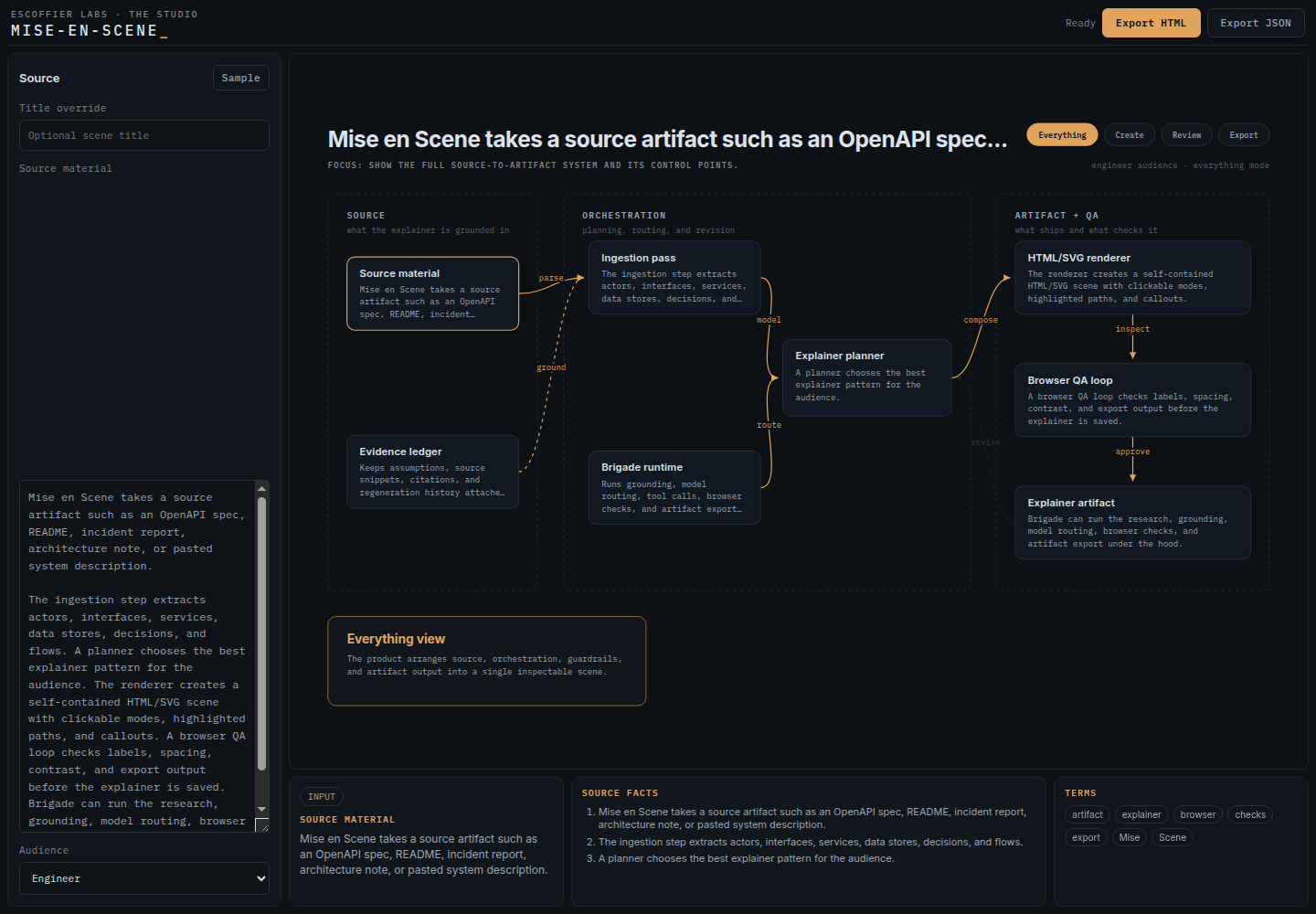
Paste the source on the left. Mise en Scene extracts the systems and relationships, lays out the selected view, and keeps the supporting evidence beside the scene.
[ 01 · HOW IT WORKS ]
From source to standalone scene
The studio runs entirely in the browser. Nothing you paste in leaves the tab until you export it.
[ 02 · THE SCENE ]
What makes it a scene, not a picture
Audience modes
Mode chips re-narrate the same scene for different readers. The diagram does not change, the story it tells does.
Source-grounded facts
Every node carries facts extracted from the source material, so the explainer stays an artifact of the system, not an artist’s impression.
Click targets
Nodes and edges are clickable. The reader explores instead of squinting at a static PNG.
Single-source rendering
The standalone export renders the exact same SceneSvg component as the live studio, via renderToStaticMarkup. What you previewed is what they get.
[ 03 · SOURCE GRAMMAR ]
Try it in 60 seconds
Paste prose, Markdown, OpenAPI JSON or YAML, or explicit relationship lines. Relationship lines produce deterministic blocks, edges, and source evidence.
Browser -> API: sends request
API -> Database: reads rowsOpenAPI JSON and YAML produce API, tag, and operation elements. When the source does not contain a usable relationship, the studio clearly marks its fallback scene rather than guessing.
[ 04 · WHY NOT SOMETHING ELSE ]
Freeform canvases and static diagrams solve a different problem
Excalidraw, draw.io, and friends
Freeform canvases. You place every box by hand and nothing connects the drawing back to the source. Mise en Scene starts from your actual source material and keeps the scene grounded in extracted facts.
Mermaid and PlantUML
Turn text into a fixed diagram, but the output is a static picture with one audience in mind. Mise en Scene renders an editable, interactive scene with audience-mode chips and click targets, exported as a self-contained HTML file rather than a flat image.
Slide decks and screenshots
Go stale the moment the system changes and carry no structure a reader can explore. A Mise en Scene export is one HTML file, openable anywhere, with the scene model behind it.
[ 05 · WHAT IT IS NOT ]
Boundaries
Not a hosted service or account-gated SaaS. It runs in your browser.
Not a server-side crawler. Repository ingestion, where it exists, happens locally in the browser, not on a backend.
Not a full YAML parser. OpenAPI YAML is parsed as a documented subset; malformed or exotic YAML falls back to plain-text extraction.
Not a replacement for hand-authored long-form docs.
[ 06 · STATUS ]
Early working spike, shared honestly
Mise en Scene is an early working spike, shared in the open because the single-source rendering idea is already useful. The studio runs, scenes render, exports work. Honest about what is not built yet:
Not yet: screenshot and recorded-walkthrough export targets.
Not yet: real ingestion beyond the local text heuristics.
Run it locally with git clone and npm install && npm run dev, or use the hosted studio at app.mise-en-scene.escoffierlabs.dev.
[ 07 · INSTALL ]
Install Mise en Scene, then wire it into Brigade when you want the station on your line:
Brigade itself:
brigade.tools
·
pipx install brigade-cli
More from Escoffier Labs
Local-first tools for AI coding agents
One kitchen, one brigade. Each tool does one job well, and they share one reviewed source of memory, config, and receipts.